
How a Houston HVAC Company Preserved Critical Knowledge During Its Busiest Season
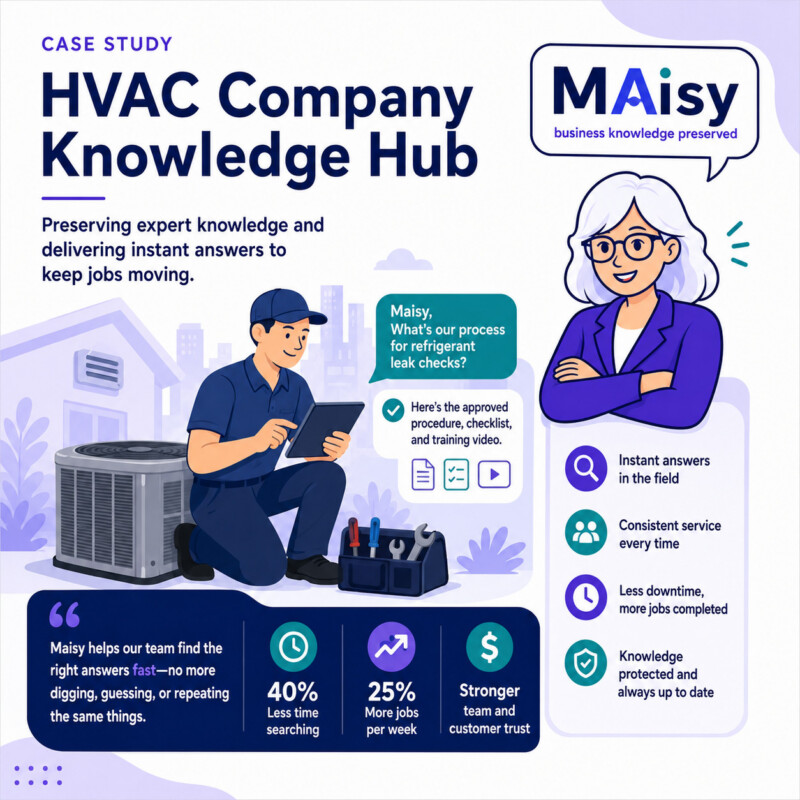
How a Houston HVAC Company Preserved Critical Knowledge During Its Busiest Season
Company Overview
A Houston-based HVAC company with 25 employees served residential and light commercial customers across the greater Houston area.
The team included service technicians, installers, dispatchers, customer service staff, sales employees, and management. The company had grown steadily, but many of its daily procedures had never been formally documented.
Important knowledge was spread across employee inboxes, shared folders, PDFs, equipment manuals, spreadsheets, and the memories of experienced staff members.
The Challenge
The company entered the summer cooling season while dealing with turnover in several key positions.
An experienced dispatcher had left. A senior technician was no longer with the company. New employees were being trained while service demand was increasing.
The remaining team struggled to keep up.
Dispatchers regularly interrupted managers to confirm scheduling rules, service priorities, warranty procedures, and maintenance plan details. Technicians called the office from job sites because they could not quickly find equipment information or internal procedures.
New employees often received different answers depending on who they asked.
The company had the information it needed, but employees could not consistently find it when they needed it.
What Was at Risk
During a Houston summer, slow decisions can quickly become missed appointments, frustrated customers, lost revenue, and overworked employees.
The company risked sending the wrong technician, overlooking warranty requirements, quoting inconsistent information, and delaying urgent service calls.
Management also recognized a larger problem. Every time an experienced employee left, part of the company’s operational knowledge left with them.
The business needed a way to preserve that knowledge before additional turnover created even larger gaps.
The Pixeldust Solution
Pixeldust began by interviewing the owner, service manager, dispatch staff, office employees, and experienced technicians.
The discovery process identified the questions employees asked most often, the procedures causing the most confusion, and the locations where important information was currently stored.
Pixeldust reviewed the company’s existing SharePoint files, emails, PDFs, spreadsheets, equipment documentation, maintenance plan information, and internal notes.
Outdated documents were flagged. Duplicate information was consolidated. Missing procedures were documented through interviews with the employees who understood them best.
The company’s SharePoint environment was then reorganized into a structured knowledge hub covering:
- Dispatch and scheduling procedures
- Emergency service priorities
- Warranty claim requirements
- Equipment and manufacturer information
- Maintenance plan details
- Pricing and approval rules
- Installation checklists
- Customer service procedures
- Technician field processes
- Employee onboarding materials
Permissions were configured so employees could only access information appropriate to their roles.
Maisy was then connected to the approved SharePoint content and made available through Microsoft Teams.
Employees did not need to learn a separate system. They could ask Maisy questions inside the tools they already used.
How Maisy Was Used
A dispatcher could ask:
“Which calls qualify for emergency service?”
A technician could ask:
“What documentation is required for this warranty claim?”
A customer service employee could ask:
“What is included in our maintenance agreement?”
A new employee could ask:
“What steps should I follow when scheduling a replacement estimate?”
Maisy provided answers based only on approved company information.
When more detail was needed, Maisy directed the employee to the supporting document in SharePoint.
When an answer did not exist, Maisy did not create one. The missing information was identified as a knowledge gap so management could review and document it.
Implementation
The project began with an assessment of the company’s current systems, documents, workflows, and recurring knowledge problems.
Pixeldust then collected information from SharePoint, Outlook, PDFs, spreadsheets, equipment documentation, and employee interviews.
The material was organized into a clear SharePoint structure with consistent naming, ownership, permissions, and review procedures.
Missing processes were documented, including dispatch escalation rules, warranty workflows, maintenance agreement guidelines, and onboarding instructions.
Maisy was configured to retrieve answers only from approved knowledge hub content.
The system was tested using real questions from dispatchers, technicians, customer service employees, and managers.
Finally, employees were trained to use Maisy in Microsoft Teams, and management was shown how to keep the knowledge hub current as procedures changed.
Results
Routine questions no longer required constant interruptions to managers and senior employees.
Dispatchers handled more calls without escalation. Technicians found warranty and equipment information more quickly while working in the field.
New employees gained access to consistent company procedures instead of relying entirely on verbal training.
The company also reduced its dependence on individual employees. Important operational knowledge was preserved inside the business instead of remaining in personal inboxes, notebooks, or memory.
Maisy did not replace experienced employees. It made their knowledge easier for the entire team to use.
Before and After
Before Maisy, employees searched through folders, emails, manuals, and old messages or called someone who might know the answer.
After Maisy, employees could ask a question in Microsoft Teams and receive an answer based on approved company information.
Before Maisy, employee turnover created immediate knowledge gaps.
After Maisy, documented procedures remained available even when key employees left.
Before Maisy, managers and senior technicians spent a large part of the day answering repeated questions.
After Maisy, they had more time to focus on customers, technical work, and operational decisions.
Key Takeaway
The company did not need to replace its existing systems or force employees to adopt another complicated platform.
It needed to organize the knowledge it already had, document what was missing, and make reliable answers available to employees when they needed them.
By combining a structured SharePoint knowledge hub with Maisy inside Microsoft Teams, the company became less dependent on individual employees, more consistent during peak season, and better prepared for future growth.