

Organization Overview
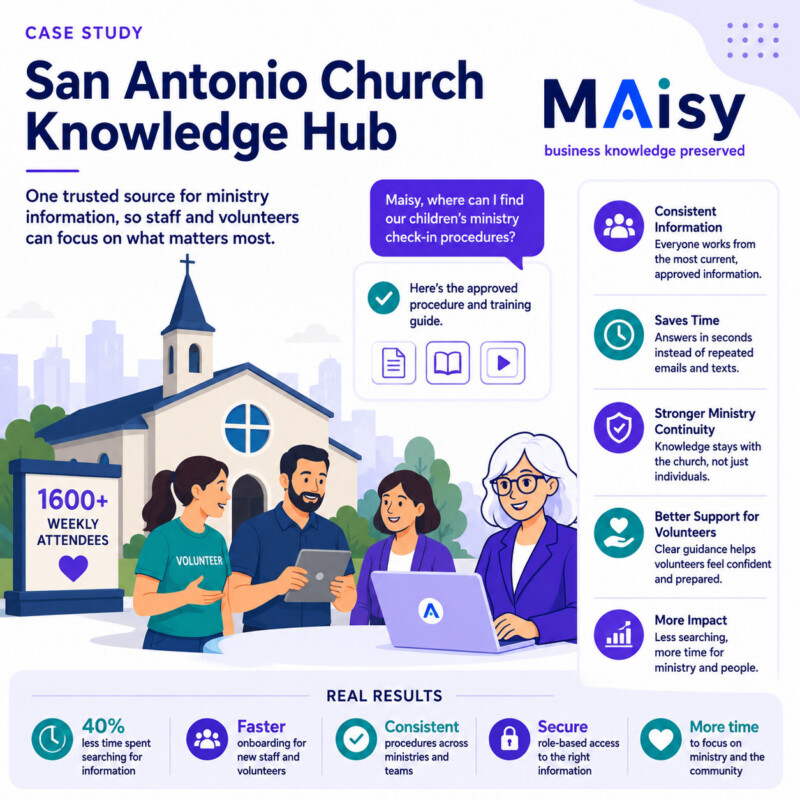
A non-denominational church in San Antonio, Texas, served approximately 1,600 people each week through worship services, children’s programs, student ministry, small groups, outreach, counseling, and community support.
The church relied on a combination of pastors, ministry staff, administrative employees, and volunteers to keep its programs running.
As attendance and ministry activity increased, important information became harder to manage. Policies, schedules, volunteer instructions, event procedures, facility details, and ministry resources were spread across email, shared folders, PDFs, planning documents, and the knowledge of experienced leaders.
The Challenge
The church had grown faster than its internal systems.
Staff and volunteers regularly needed answers about:
- Children’s check-in and safety procedures
- Volunteer roles and schedules
- Event setup requirements
- Facility access
- Small-group resources
- Benevolence procedures
- Baptism and membership processes
- Emergency response
- Communications approvals
- Ministry contacts and escalation paths
Many questions were answered through texts, emails, hallway conversations, or calls to a ministry leader.
New volunteers often received different instructions depending on who trained them. Staff members spent time searching for old documents or recreating information that already existed somewhere else.
The church depended heavily on a small number of experienced employees who understood how ministries, facilities, events, and volunteers worked together.
What Was at Risk
Inconsistent information could affect safety, communication, volunteer confidence, and the experience of church members and guests.
Using outdated children’s ministry procedures could create safety concerns. Missing event details could delay setup. Unclear volunteer responsibilities could leave important positions uncovered.
Leadership was also concerned about continuity. When a staff member or long-term volunteer stepped away, valuable ministry knowledge often left with them.
The church needed a way to preserve that knowledge without adding another complicated platform for employees and volunteers to learn.
The Pixeldust Solution
Pixeldust began by meeting with pastoral leadership and representatives from administration, children’s ministry, student ministry, worship, small groups, facilities, outreach, and communications.
The discovery process identified recurring questions, important documents, undocumented procedures, and areas where teams were using conflicting information.
Existing content was collected from SharePoint, email, PDFs, volunteer manuals, event plans, ministry guides, spreadsheets, and internal notes.
Pixeldust organized the information into a secure SharePoint knowledge hub covering:
- Volunteer policies and role descriptions
- Children’s ministry safety procedures
- Student ministry guidelines
- Worship and production processes
- Event planning and facility setup
- Small-group leader resources
- Membership and baptism procedures
- Benevolence and care processes
- Emergency response instructions
- Communications and approval procedures
- Staff and volunteer onboarding
Outdated documents were flagged, duplicate files were consolidated, and missing procedures were documented through interviews with experienced staff and ministry leaders.
Permissions were configured so employees and volunteers could only access information appropriate to their roles.
Maisy was then connected to the approved SharePoint content and made available through Microsoft Teams.
How Maisy Was Used
A children’s ministry volunteer could ask:
“What is the procedure if a parent loses their pickup tag?”
An event coordinator could ask:
“What rooms and equipment are required for a membership class?”
A small-group leader could ask:
“Where is the current discussion guide?”
A staff member could ask:
“Who approves an outside organization’s request to use the facility?”
A new volunteer could ask:
“What training must I complete before serving with children?”
Maisy returned answers from approved church information and linked users to the supporting documents when additional detail was needed.
When a question required pastoral judgment, confidential information, or a decision from leadership, Maisy directed the user to the appropriate person instead of generating an answer.
Implementation
The project began with an assessment of the church’s ministries, systems, documents, volunteers, and recurring information problems.
Pixeldust collected existing material and interviewed staff members and ministry leaders who held critical institutional knowledge.
The content was organized in SharePoint with clear categories, ownership, permissions, approval status, and review dates.
Missing procedures were documented, including volunteer escalation paths, event setup requirements, facility access rules, and cross-ministry responsibilities.
Maisy was configured to retrieve information only from approved knowledge hub content.
The system was tested using real questions from staff members, ministry leaders, and volunteers.
Employees were then trained to use Maisy through Microsoft Teams, while volunteer access was limited to the approved information required for their responsibilities.
Results
Staff members spent less time answering repeated questions and searching through old emails and folders.
Volunteers received clearer and more consistent instructions.
New employees and ministry leaders became productive faster because procedures, contacts, and responsibilities were easier to find.
Event planning improved because teams worked from current setup requirements and approved processes.
Leadership also gained a clearer view of outdated documents, missing procedures, and ministry knowledge that needed to be preserved.
Most importantly, critical information remained with the church when employees or long-term volunteers moved on.
Before and After
Before Maisy, staff and volunteers depended on emails, texts, binders, shared folders, and individual ministry leaders for answers.
After Maisy, approved information could be accessed through a simple question in Microsoft Teams.
Before Maisy, different ministries sometimes followed different versions of the same procedure.
After Maisy, teams worked from centralized and reviewed information.
Before Maisy, onboarding depended heavily on live explanations from experienced staff.
After Maisy, new employees and volunteers could access documented guidance while still receiving personal support from ministry leaders.
Before Maisy, staff transitions created immediate knowledge gaps.
After Maisy, ministry procedures, decisions, and operational knowledge remained available to the church.
Key Takeaway
The church did not need to change how it served people.
It needed a better way to preserve ministry knowledge, organize internal information, and give staff and volunteers reliable answers.
By combining a secure SharePoint knowledge hub with Maisy inside Microsoft Teams, the church improved consistency, strengthened volunteer support, reduced repeated questions, and gave its leaders more time to focus on ministry and the people they served.


